
Cruise app without internet package: network states for 2026
TL;DR
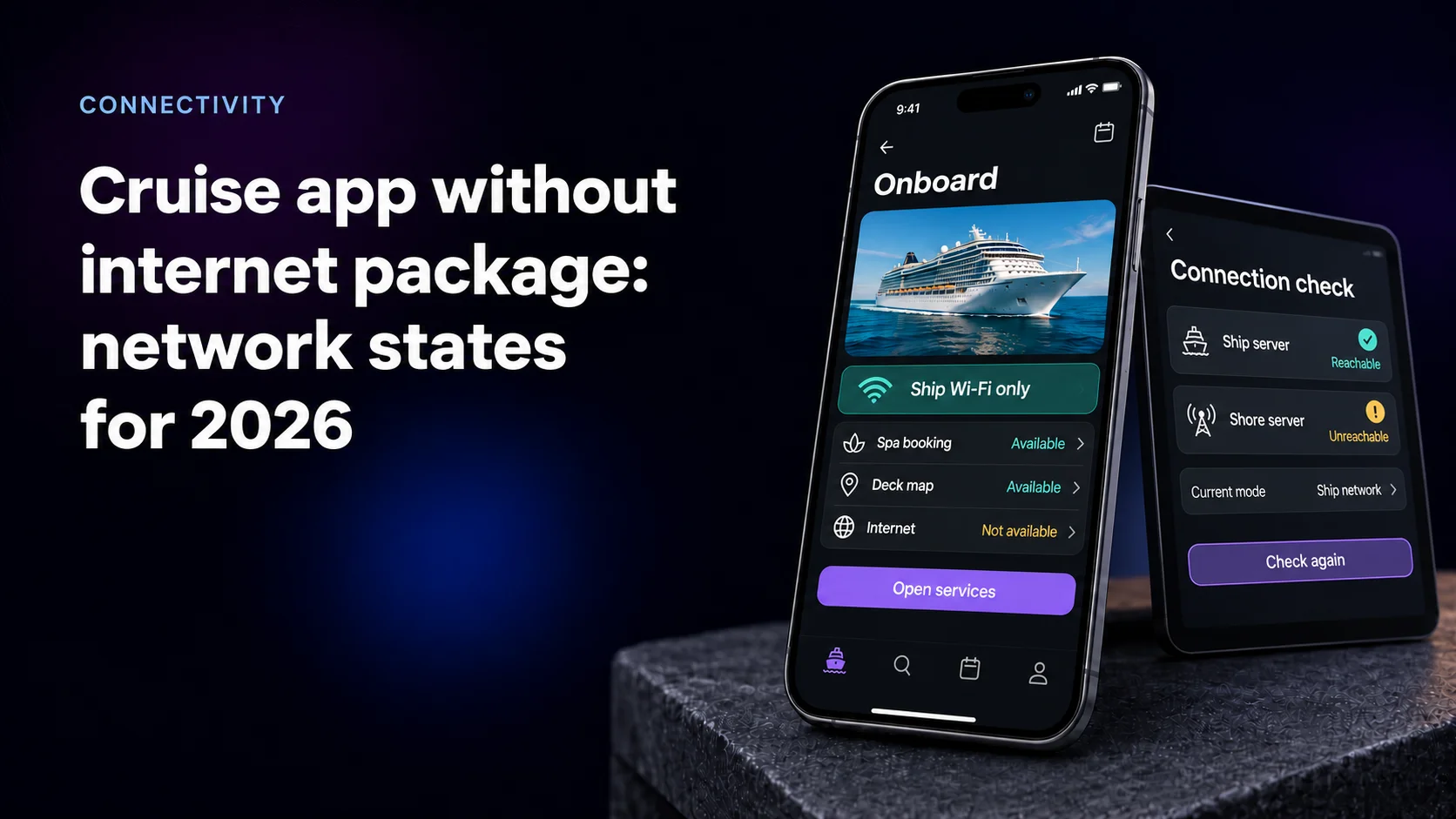
A cruise app without internet package access is the normal case in 2026: Royal Caribbean and Princess both let guests use their apps on free ship Wi-Fi. The hard part is telling each guest which of five network states the phone is in, and what still works there.
- Guests confuse the ship network with the internet plan, and iOS reports the free network as having no internet.
- Since October 13, 2026, Princess sells standalone Wi-Fi for one or two devices, two at $39.99 a day pre-cruise, so a paid account with an unpaid phone is its own state.
- Detect the state with two probes, one to the ship server and one to the shore, instead of reading the Wi-Fi icon.
- Mercury Development's spa software for OneSpaWorld has run on ship-only networks on over 160 ships since 2018.
Why guests mix up ship Wi-Fi and internet
Seatrade Cruise News, citing CLIA, reported 37.2 million ocean cruise passengers in 2025. Ship Wi-Fi is free and reaches the line's own servers. Internet is a paid plan riding a satellite link.
Large lines build their apps on the first layer. Royal Caribbean's app FAQ tells guests to join Guest Wi-Fi and use the app with no internet package. Princess sells its MedallionNet internet plans inside the same app guests use on the free network.
Guests still mix the layers up. On a 2023 Cruise Critic thread, a new Princess guest asked whether to switch on airplane mode, and a regular replied that too many people confuse the Medallion app with MedallionNet. Carnival guests get the same correction on a HUB app thread: "I think you are confusing WiFi with an internet plan."
The phone adds to it. When a guest backs out of a network login screen, iOS reports that the network isn't connected to the internet, per Apple Support. Your copy has to win that argument.
Since October 13, 2026 Princess sells internet by the device
Princess changed its standalone Wi-Fi on October 13, 2026, Travel Market Report reported. The four-device plan at $44.99 a day is gone. A new two-device plan costs $39.99 a day booked before the cruise and $47.99 on board. One device now costs $27.99 pre-cruise and $33.99 on board. Four devices per guest remain only inside Princess Premier.
For app teams this adds a state. A family with a two-device plan and three phones has one phone that is signed in, covered by a paid account and still behind the login page. An app that only checks whether the account has a plan tells that phone the internet is on. It isn't.
Keep plan names and device limits in server configuration, so the next price change is a data edit instead of an app release.
How we put this guide together
We read what lines tell their guests on FAQ and product pages, plus guest threads on Cruise Critic. Platform behavior comes from Apple and Android documentation, an IETF standard and Google's design guidance, read in October and November 2026. The line pages we read answer the question in a sentence or two; ours answers eleven of them.
Delivery and sync live in our guides to push notifications on cruise ships and offline-first apps for ships. This one covers what the guest reads. Mercury Development builds shipboard software, so read it as an interested view.
Five network states at a glance
The brief usually names three states. The app has to tell five apart.
| State | What the app detects | What works | Lead sentence | One action |
|---|---|---|---|---|
| Ship Wi-Fi, no plan | Ship server answers, shore probe hits the login page | App, bookings, onboard chat | You're on ship Wi-Fi. The app works here at no charge. | Add internet |
| Plan on this phone | Both probes pass | App and the internet | Internet is on for this phone until 10 a.m. Saturday. | Manage plan |
| Plan, not this phone | Account has a plan, this phone still hits the login page | App only | Your plan covers 2 devices. This phone is not one of them. | Move plan here |
| Shore link down | Ship server answers, shore probe times out on a paid phone | App only | Internet is paused for the whole ship. The app still works. | None |
| No ship network | Ship server unreachable | Saved content | Join the ship's Wi-Fi to use the app. | Open Wi-Fi settings |
Detect the state from requests, not the Wi-Fi icon
The system icon says the phone has a path. It doesn't say where the path leads.
Apple deprecated SCNetworkReachability because network conditions change too fast for preflight checks to be accurate, and its documentation says to attempt the connection instead. On Apple's developer forums, Quinn of Developer Technical Support calls preflighting a mistake. That advice assumes one server. A ship app has two.
On Android, per the NetworkCapabilities reference, NET_CAPABILITY_VALIDATED means the system found real connectivity on its last check, and NET_CAPABILITY_CAPTIVE_PORTAL means it found a login page.
So run two probes from the app:
- Ship probe. A health endpoint on the ship server. It decides whether the app works.
- Shore probe. A small request to your own cloud endpoint. A portal page means no plan on this phone. A timeout on a paid phone means the shore link is down.
If the network vendor supports RFC 8908, the Captive Portal API, ask for it. Its JSON carries a required captive flag plus optional keys such as seconds-remaining and user-portal-url. With seconds-remaining, the paid state shows real time left. In a June 2026 forum answer, an Apple support engineer called official documentation of the iOS captive network subsystem very limited. Retest the login flow on every iOS release.
How to test each state on a real ship is covered in our guide to cruise ship app testing.
Ship Wi-Fi only: lead with what works
Most guests spend the whole cruise here. Write it as the normal case.
- Open with what works: "You're on ship Wi-Fi. Bookings and chat work here at no charge."
- Name what needs a plan in one line: "Websites and other apps need an internet plan."
- Put fees in the sentence. If a feature on the free network carries a charge, state the price on that screen before the tap.
- Keep "Add internet" a secondary button, so a guest booking dinner never lands on a sales screen.
- Drop labels that describe a loss, such as "Limited" or "No internet". Guests read them as an error.
Paid internet: name the plan, the device and the end time
Once a guest pays, the app's job changes from explaining to confirming.
Show the plan, the devices and the end time: "Internet for 2 devices, ends Saturday 10 a.m. ship time. On: this iPhone, Anna's iPad." Say ship time, because ships change time zones.
When the plan sits on the account but not on this phone, say so and offer the move. When the shore link drops, tell paid guests the outage is ship-wide, or they blame the plan they bought.
Offline page: name the fix, not the failure
The offline page appears when the app cannot reach the ship server, usually at the gangway or ashore.
Google's offline UX design guidelines note that non-technical users often misunderstand the word offline and recommend action-based language. Apply it:
- Headline the fix: "Join the ship's Wi-Fi to use the app."
- Give the network name exactly as printed on the stateroom card, then the steps: airplane mode on, Wi-Fi on, pick that network.
- Pre-empt the iPhone sheet. Per Apple, Cancel on a login screen disconnects the phone, and in the next message Other Network leaves the network while Without Internet keeps it. Tell guests which one to tap.
- Show saved content with its age: "Today's schedule, saved 7:40 a.m."
- Ship the page inside the app bundle. A page served by the ship server cannot load when the ship server is out of reach.
Copy rules that hold in every state
- One word per layer. "Ship Wi-Fi" for the network, "internet" for the plan, and never one brand name for both.
- The same words on the stateroom card, the login page and the app.
- What works comes first, what doesn't comes second.
- Color never carries the state alone. The web.dev guidelines warn that grayed-out UI reads as disabled.
- Numbers go in the copy: prices, device counts, end times.
- Each state is written once and reused everywhere.
Agencies that design for ship networks are compared in our ranking of travel app design agencies.
What our onboard programs show
OneSpaWorld describes itself as the operator of health and wellness centers onboard cruise ships. Mercury Development's spa platform for it has run since 2018 on over 160 ships of multiple cruise lines, as ReactJS web apps on onboard servers with no external internet connection. Its E-Forms platform serves 1,000+ devices and over 3,000 staff members, syncing in near real time over low or sporadic bandwidth, with RabbitMQ carrying messages between ship and shore.
For that software the ship-only network is the normal state, and the one status staff need is sync: whether a signed form reached the ship server and whether the shore has it yet. Guest apps should design the ship-only state as the product and sell internet as the add-on.
Write state copy where the internet price list lives
Network copy usually reaches the app team late, as error strings. The decisions behind it sit elsewhere: the network team picks the portal, and the revenue team sets plans and device limits. When those change, as Princess's did on October 13, the app learns last.
Put the states, their copy and the plan rules in one document owned by whoever prices internet. Then change the vendor interview: "A guest on a two-device plan picks up a third phone. What does each screen say?" A team that has shipped this names the probes and the strings.
Written by Rob Devereaux, Chief Operating Officer at Mercury Development. Rob has run the firm's operations from Hudson, Ohio since 2019 and has over 20 years of operational and financial experience. The OneSpaWorld deployment records behind this article's fleet figures sit in the operations he oversees.
Guests stuck between ship Wi-Fi and internet? Map every state first
Tell us which networks your ships run, how you sell internet and what your app says today. We will map each state to a detection rule, a lead sentence and one action, so guests know where they stand before they walk to the guest services desk.